Guide to Online Customs Verification Procedures (Verification of Items Taken Out of Japan Upon Departure)
At some airports, you can complete the tax-free procedure using your smartphone instead of scanning your passport at a tax-free procedure terminal!
| Airports Where Online Check-In Is Available | |
|---|---|
| Narita International Airport | Haneda (Tokyo International) Airport |
| Kansai International Airport | Chubu International Airport |
| New Chitose Airport | Fukuoka Airport |
| Naha Airport | |
How to Use This Service
1. Registering with Visit Japan Web
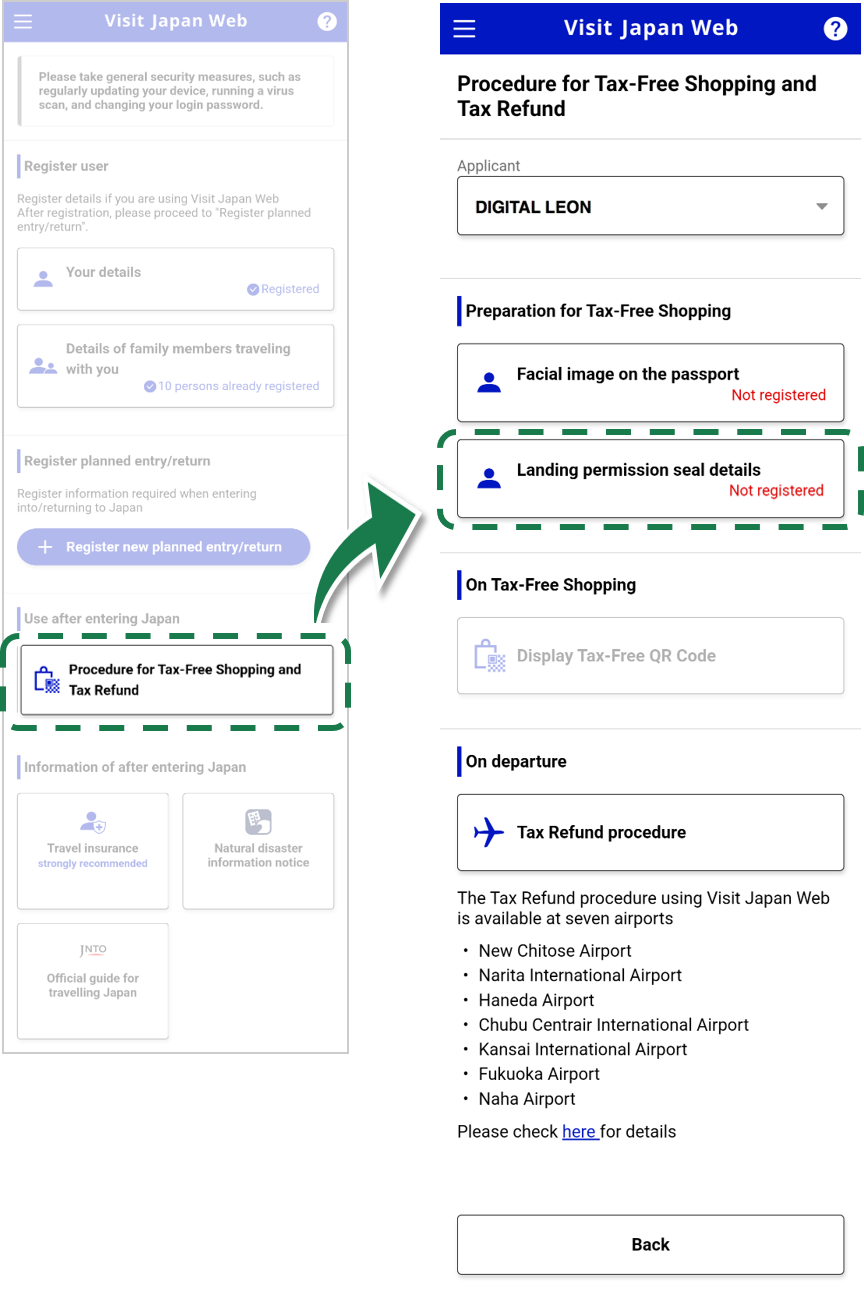
Register your information on Visit Japan Web.
* If you are already registered, please proceed to the next Wi-Fi connection.
2. Connecting to the Wi-Fi network designated for check-in procedures at each airport
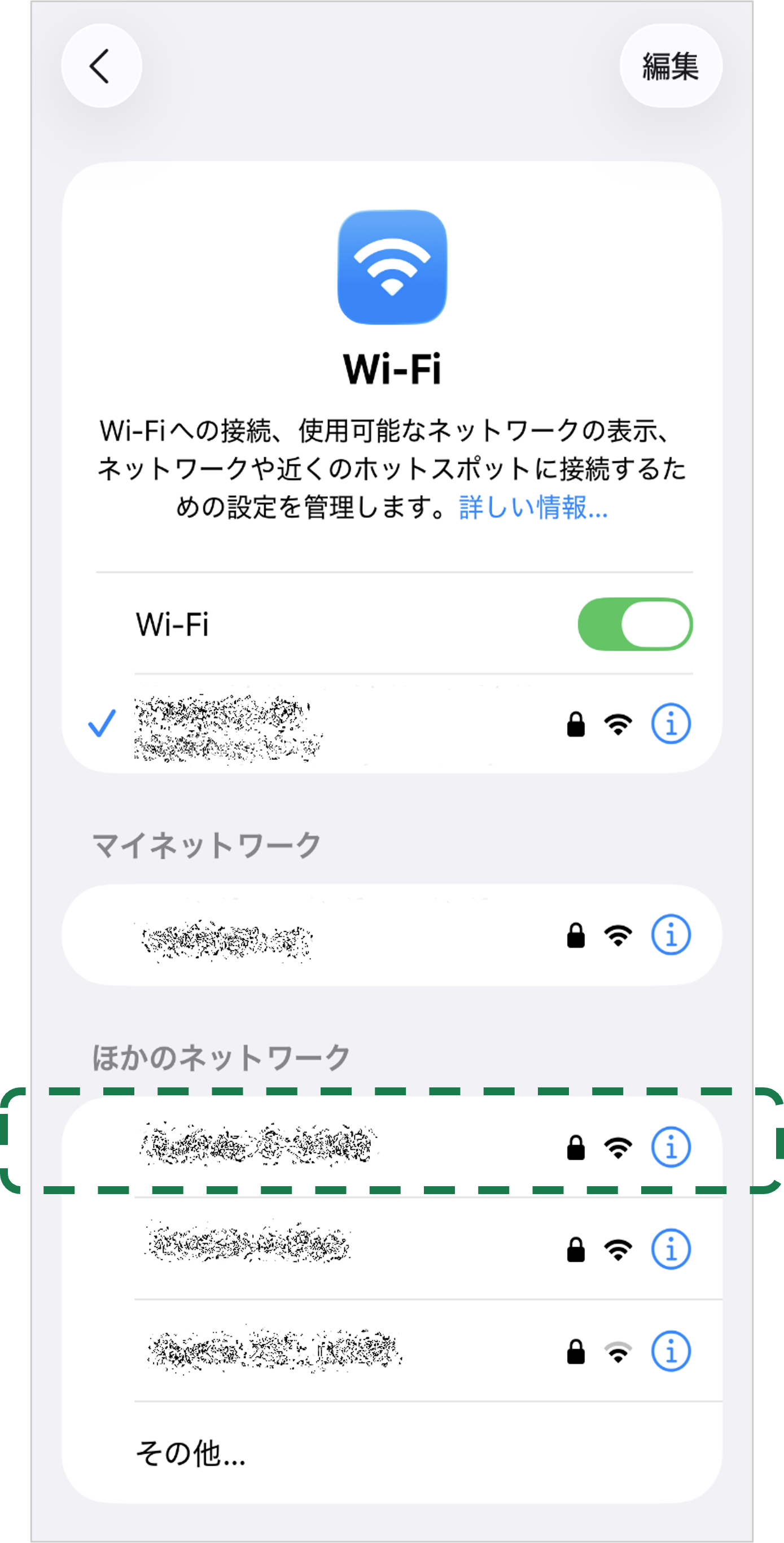
Please connect to the dedicated Wi-Fi network for check-in procedures at each airport.
* Please check the link below for the SSID and other information.
Go to Frequently Asked Questions
Back to the top of this page
3. Selecting “Refund Procedure” on Visit Japan Web
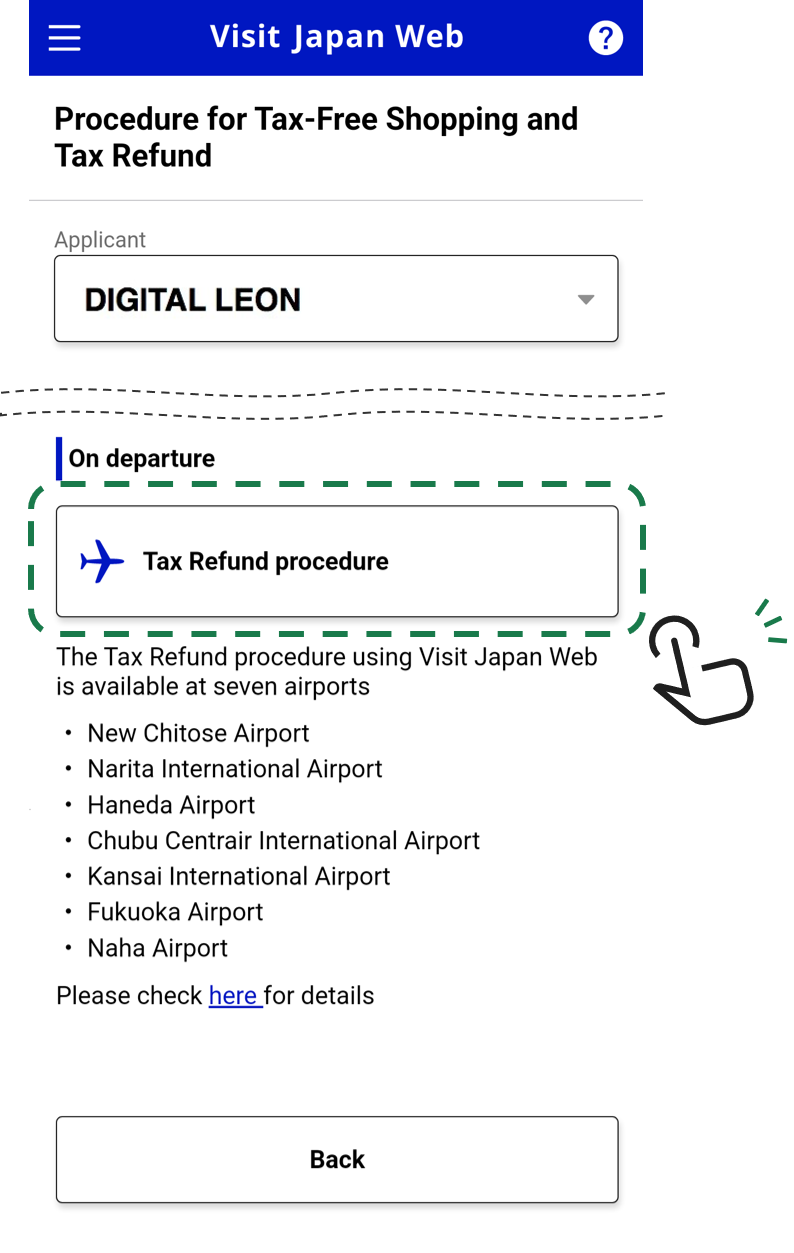
Log in to Visit Japan Web and tap “Refund Procedure.”
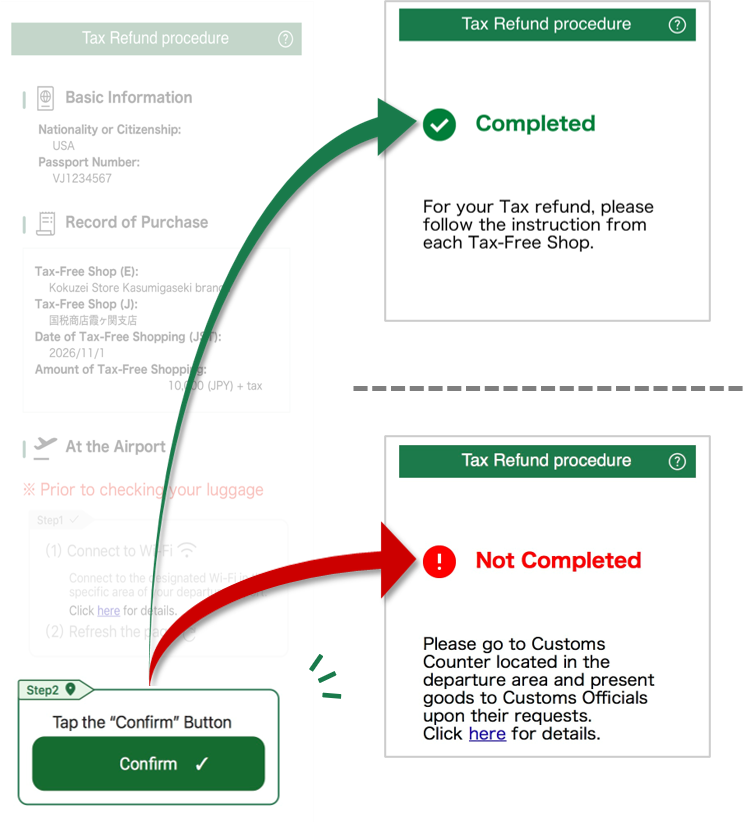
4. Checking the Record of Purchase and Completing Procedures
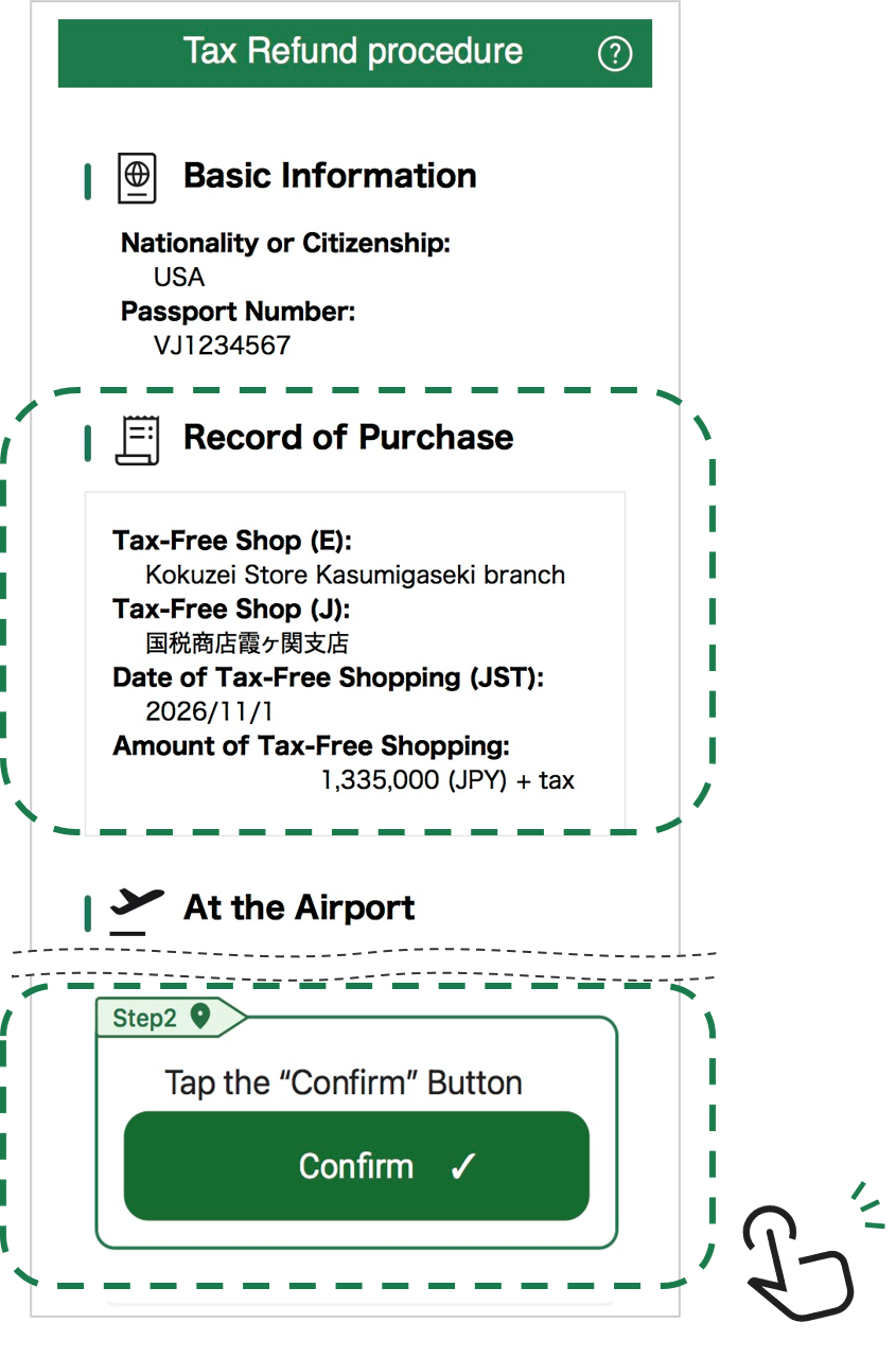
Review the purchase records covered by this process, then tap the “Confirm” button.
5. Confirmation of the Outcome of the Procedure
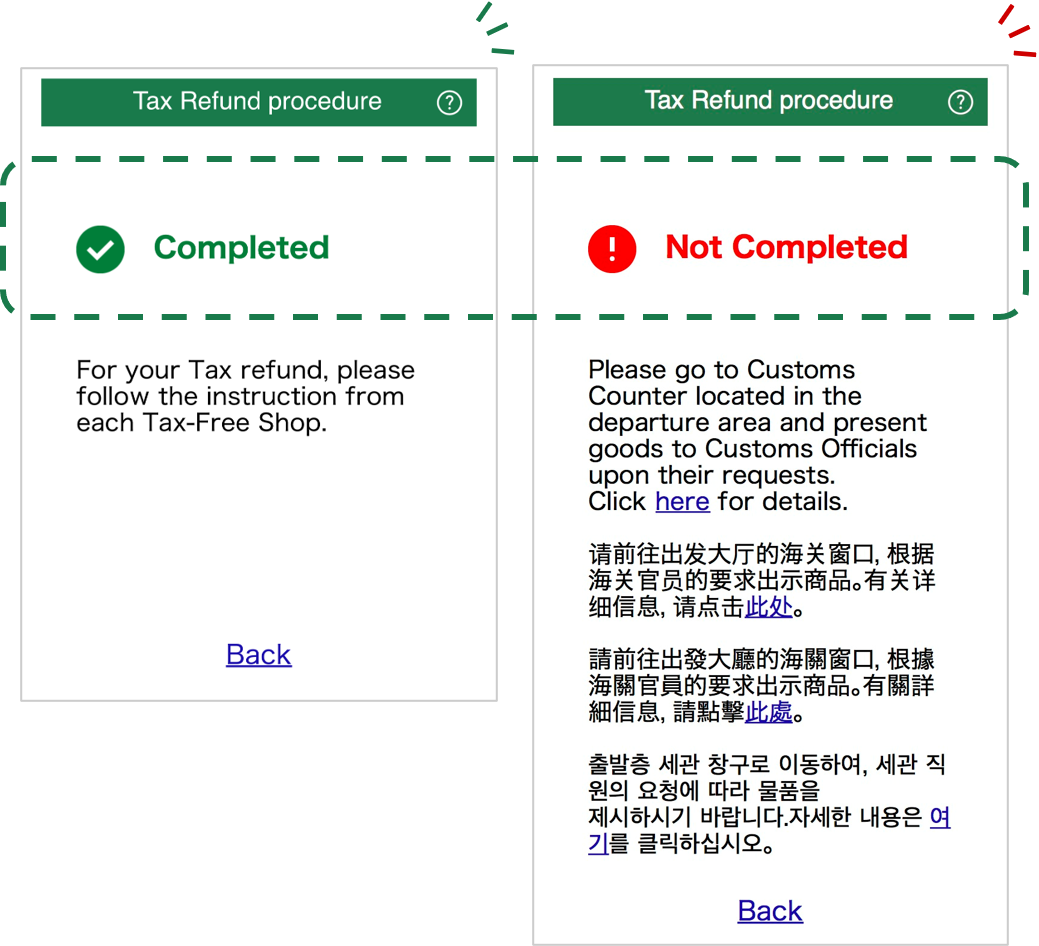
▼
Procedure Completed
▼
Customs Verification on Items Taken Out of Japan
Check the results of the procedure.
If the status is “Not Completed”, please proceed to the customs inspection area for verification.

